MetaTrader's built-in VPS vs your own VPS: which one your EA actually needs
2026-09-07
MetaTrader has hosting built in: the Virtual Hosting button inside the terminal rents you a machine in the broker's datacenter, migrates your charts and EAs, and runs them when your PC is off. It is genuinely good, and for a lot of traders it is the right answer. It also has three hard limits that are easy to hit and hard to see coming. Here is the honest comparison.
What each one actually is
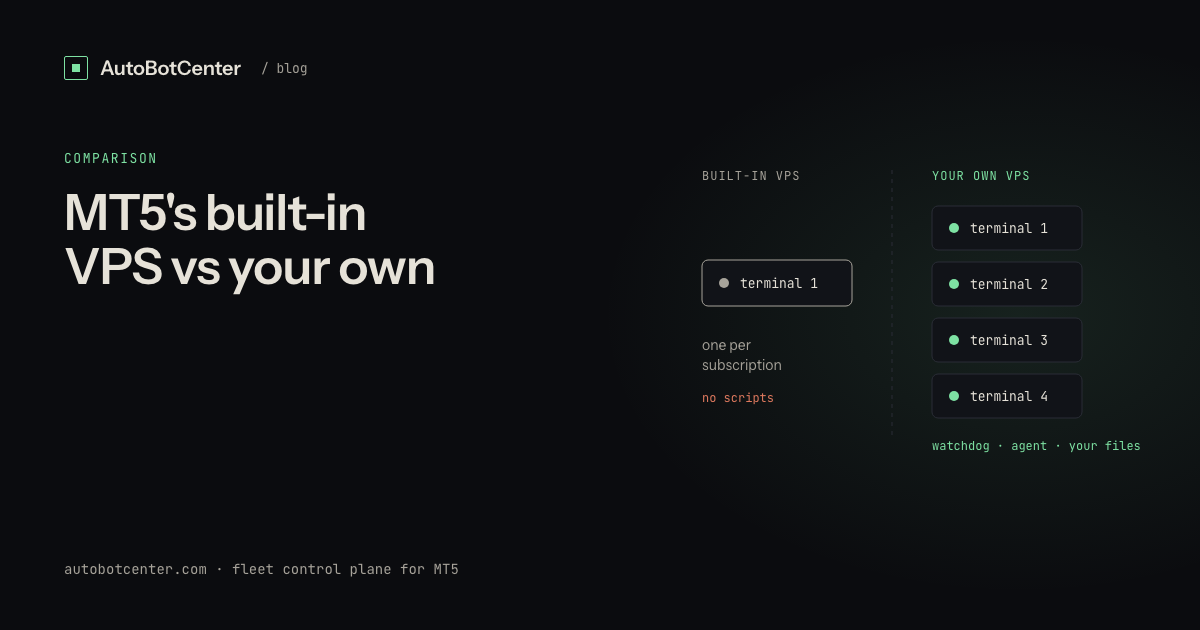
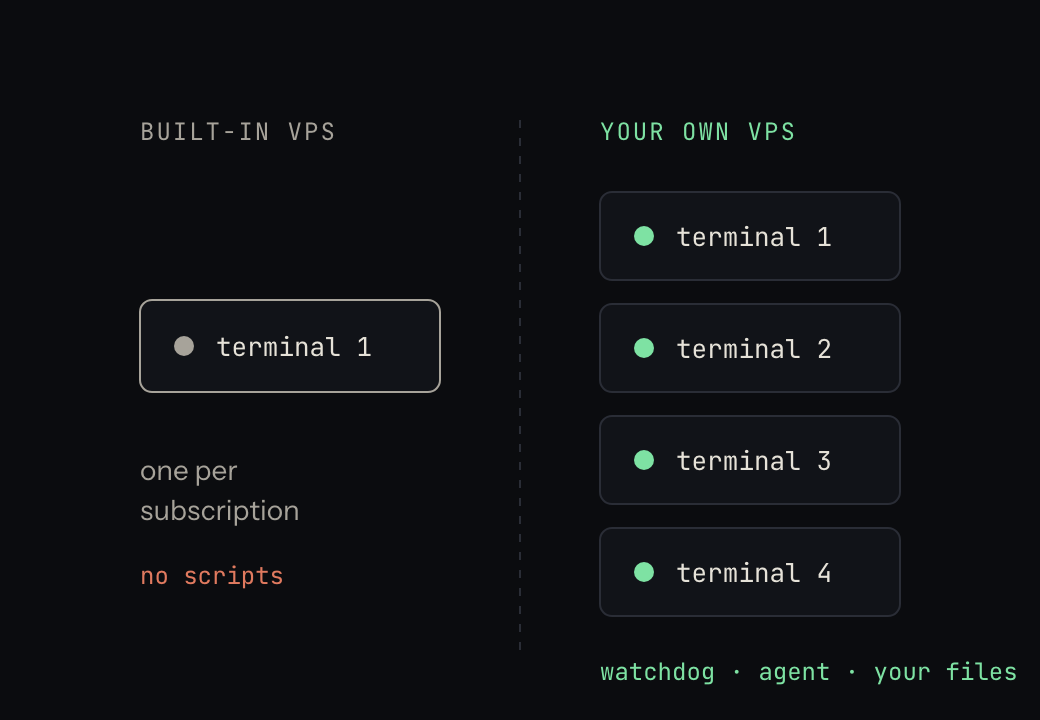
MT5 Virtual Hosting is a hosted copy of one terminal. You press a button, the terminal's state is migrated, and MetaQuotes runs it. You never get a desktop, a file system, or a second terminal.
Your own VPS is a Windows machine you rent from a hosting provider. You install MetaTrader yourself, as many copies as you like, and everything else you want alongside them.
Side by side
| MT5 built-in VPS | Your own Windows VPS | |
|---|---|---|
| Terminals | One per subscription | As many as RAM allows (3–8 typical) |
| Accounts | One | One per terminal |
| Latency to broker | Excellent, chosen automatically | Good if you pick the datacenter; bad if you do not |
| Setup | One click inside the terminal | Install Windows software yourself |
| Access to the machine | None. No desktop, no files | Full RDP and file system |
| Run anything else | No | Yes: scripts, Python, a monitoring agent |
| Price shape | Per terminal, per month | Per machine, per month |
| Cost at 1 account | Cheaper | More expensive |
| Cost at 5 accounts | Five subscriptions | One machine |
| Migration model | Push a snapshot of your terminal | Live, always the real thing |
The three limits people hit
1. One terminal per subscription
This is the big one. Running four accounts means four subscriptions, and the cost crosses a normal VPS somewhere around the third or fourth. Worse than the money is the fragmentation: four separate hosted terminals with no shared view, so "is everything running?" is four checks in four places.
2. You cannot run anything except the terminal
No desktop means no scripts. You cannot run a PowerShell watchdog, a Python process, a log shipper, or any agent that watches the terminal from outside. Whatever monitoring you get is whatever MetaQuotes gives you, and the useful signal (see what to actually watch on an MT5 VPS) is a heartbeat checked by something outside the terminal. On built-in hosting there is no outside.
3. Migration is a snapshot, not a link
Your hosted terminal is a copy of your local one at the moment you migrated. Change an EA parameter locally and the hosted copy keeps the old value until you migrate again. This is a genuinely common way to lose a week: the backtest was on the new settings and the live account was on the old ones.
When built-in hosting is the right answer
- One account, one EA, and no plans for a second.
- Latency-sensitive strategy where the broker's own datacenter matters more than anything else.
- You do not want to administer Windows, at all, ever. This is a legitimate preference.
When your own VPS is the right answer
- Two or more accounts, or any intention of adding one.
- You want to know the bot is alive without opening a terminal to check.
- You run anything besides the EA: a news filter, a script, your own tooling.
- You want to fix a stuck terminal at 3 AM instead of waiting on support.
The cost crossover, roughly
Built-in hosting is a per-terminal subscription; a 4 GB Windows VPS is a flat monthly fee that holds six to eight terminals. So the arithmetic is simple: one or two accounts and hosting is cheaper, three and it is close, four and up and the VPS wins and keeps winning. Sizing details are in running multiple MT5 terminals on one VPS.
The thing neither option solves by itself
Both leave you with the same question: is every account actually trading right now? Built-in hosting hides the machine so you cannot check from outside. Your own VPS lets you check, but only by opening RDP, and that stops scaling around the second box.
That gap is what AutoBotCenter fills. You keep your own VPS and your own EAs; an agent on each machine reports every terminal, restarts the ones that die, deploys EAs and .set files without RDP, and messages you on Telegram when a box goes quiet. It cannot place, modify or close a trade, and it never sees your broker password in plaintext. Free for one VPS if you want to see it against your own setup first.
Do this now
- Count your accounts. One or two: built-in hosting is fine, stop reading.
- Three or more: price a 4 GB Windows VPS against your subscriptions.
- Either way, add a heartbeat to your EA so "is it alive" has an answer that is not a screenshot.
- If you migrate to built-in hosting, re-migrate every time you change a parameter. Put it in your checklist.
Tired of RDP-ing into every box?
AutoBotCenter puts every VPS, MT5 terminal and EA on one dashboard: a watchdog that revives dead terminals, remote EA deployment, Telegram alerts. The free tier covers one VPS, no card needed.
Start free