Handing your MT5 password to a third party: the real risk, and five questions to ask first
2026-09-06
Paying someone to install an EA: hand over the password. Buying a VPS "with MT5 pre-installed": hand over the password. Using a copy or account-management service: hand over the password. Every time, one more person can log into your live account, and most of us never rotate it because that means reinstalling everywhere. This post is about the actual risk, and about the fact that a system operating your MT5 terminals can be designed to never know your password.
Two passwords, two risk levels
- Master password: log in and trade. Whoever holds it can open, modify and close positions with your money.
- Investor password: read-only. No orders, no withdrawals.
An EA can only trade if the terminal is logged in with the master password. So anyone "installing the bot for you" on their machine is holding your master password in plaintext, in a config file or in their head.
What actually goes wrong
- Trades you did not intend. No malice needed: someone managing fifty accounts sends an order to the wrong one.
- Leaks later. The password sits in an
.ini, in a screenshot, in a Telegram thread from eight months ago. You control none of those places. - You cannot rotate. Changing it stops every place running a bot for you, and you have to contact each one to reinstall. So nobody does.
Five questions for any service that wants your MT5 password
- Where is my password stored, and in what form? The right answer is "encrypted, and we do not hold the decryption key". The wrong answer is "in our system, it's very secure".
- Can your staff read it? If yes, every current and former employee is a risk.
- Can your server place orders on my account? If the system has an order API, a server bug or a leaked admin login is your money.
- How is the software on my VPS updated? If the server can push any file to your machine without a signature, whoever controls the server controls your machine.
- What happens when I change the password? The good answer: "you update it yourself in thirty seconds, no ticket".
Designing so the password is never needed
This is how AutoBotCenter does it, and it is a reasonable bar for any other service:
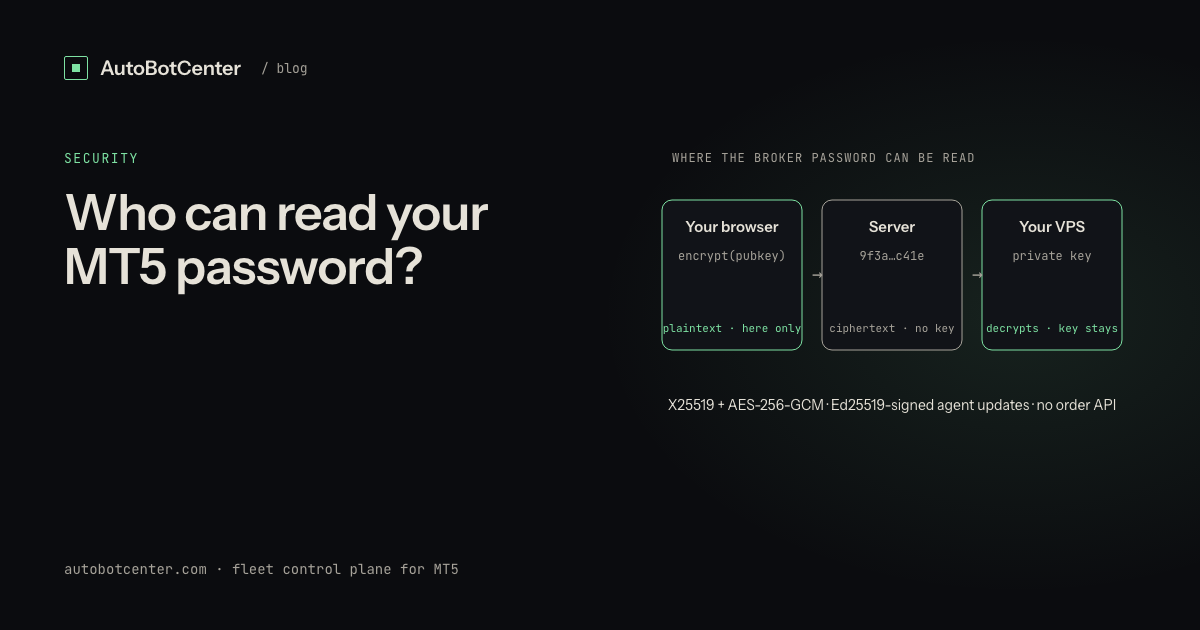
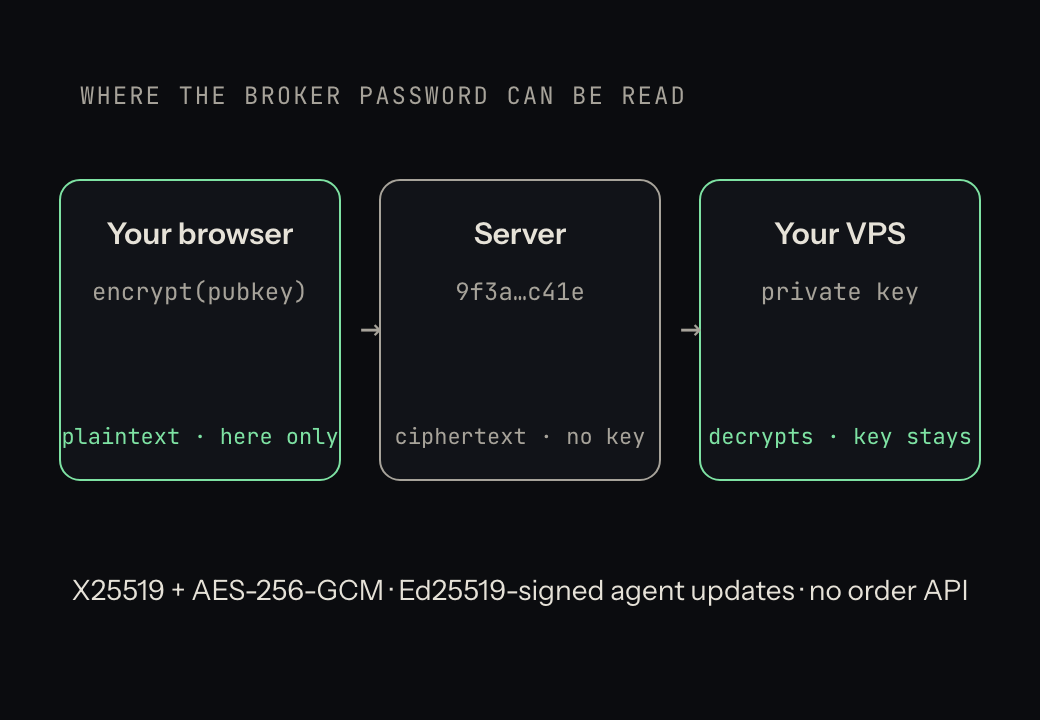
- Encrypt in the browser. When you enter a broker password, the browser encrypts it with the public key of your own VPS (X25519 + AES-256-GCM). The plaintext exists only in your browser tab, for milliseconds.
- The server holds ciphertext only. The database contains an encrypted string and no key to open it. An operator with database access sees noise.
- The private key lives on the VPS and never leaves. The agent generates its key pair at install time, keeps the private half local, and decrypts only at MT5 login. One key pair per VPS, so a compromised box does not expose the others.
- Signed updates. Every agent release is Ed25519-signed with an offline key; the agent refuses anything that does not verify. A compromised server still cannot push foreign code to your machine.
- No order API. The system can open, close and restart terminals, deploy EAs and read status. There is no route to place, modify or close a trade. It could not if it wanted to.
The cost of this design: when you add an account you must pick the VPS that will run it, because the password is encrypted for that specific machine. Move it to another VPS and you re-enter the password. A fair trade.
If you have already shared it widely
- Change the master password now (Tools → Options → Server → Change, or in the broker's client area).
- Give the investor password to anyone who only needs to watch.
- For anything that must run an EA, move to a setup where you own the VPS and the password is encrypted for that VPS alone.
Tired of RDP-ing into every box?
AutoBotCenter puts every VPS, MT5 terminal and EA on one dashboard: a watchdog that revives dead terminals, remote EA deployment, Telegram alerts. The free tier covers one VPS, no card needed.
Start free