Choosing a VPS for MT5 EAs: location, RAM, price, and what the ads leave out
2026-09-06
A VPS for bots does not need to be powerful. It needs to be right: right location, enough RAM, stable, and not rebooting itself mid-session. This is a list of criteria, not a provider comparison, because prices change monthly and the criteria do not.
1. Location: near the broker, not near you
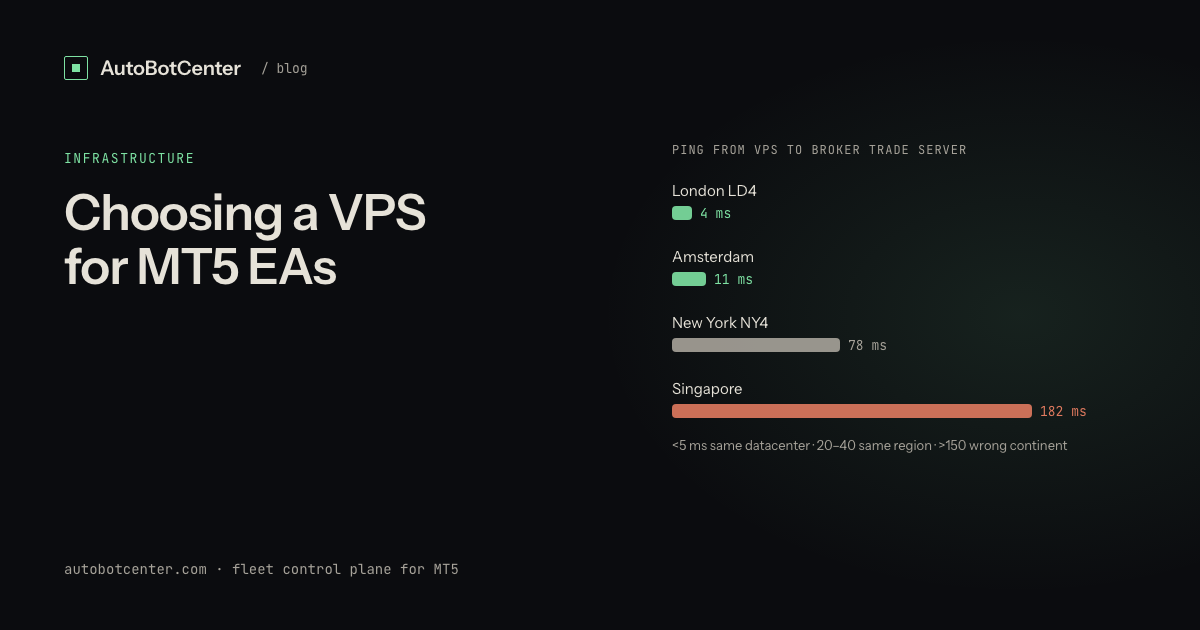
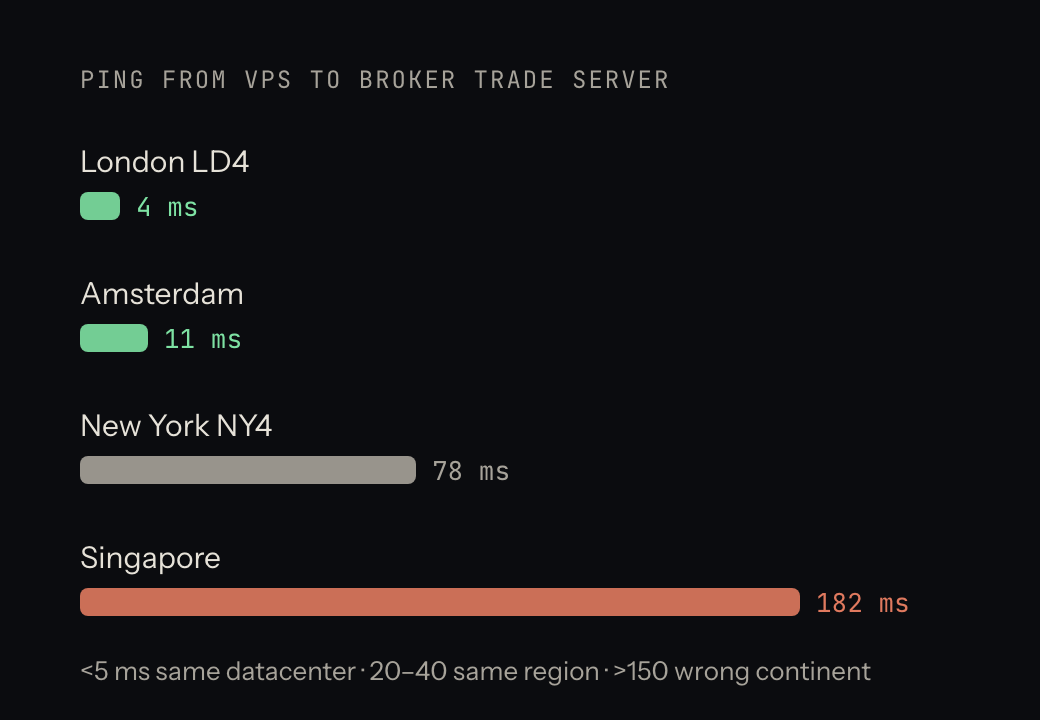
Ping between the VPS and the broker's trade server decides execution latency. Most brokers host in London (LD4), New York (NY4), Amsterdam or Singapore. In the terminal, Tools → Options → Server, or watch the ping in the bottom-right corner when choosing a server: under 5 ms means the same datacenter, 20–40 ms the same region, over 150 ms the wrong continent.
Scalpers and news EAs genuinely need low ping. Swing, grid and time-based EAs do not notice the difference between 100 ms and 5 ms. Do not pay double for a number your strategy never uses.
2. RAM and CPU by terminal count
| You run | Enough | Note |
|---|---|---|
| 1–2 MT5, 1–2 charts each | 1 vCPU / 2 GB | The cheapest plan at most providers |
| 3–4 MT5 | 2 vCPU / 3–4 GB | The most common setup for multi-account traders |
| 5–8 MT5, or heavy indicators | 2–4 vCPU / 6–8 GB | Consider two VPS so one failure does not take the whole fleet |
Budget 300–350 MB per terminal plus 600–800 MB for Windows; details in running multiple MT5 terminals on one VPS. CPU is rarely the bottleneck unless you backtest on the VPS (do not).
3. Windows Server or Windows 10/11
MT5 runs on both. Windows Server 2019/2022 is lighter, has fewer background services and updates less aggressively; it is the better choice for a box that only runs bots. Windows 10/11 is more familiar but Windows Update is pushier and more things run in the background (Search, scheduled Defender scans, Store). If you must use it, pause updates and set Active Hours to market hours.
4. Disk and network
SSD is mandatory; terminals load history and write logs constantly, and an HDD makes charts stutter and orders slow. 40 GB is plenty for five or six terminals. Bandwidth does not matter, stability does: ask the provider for real uptime over the last three months and their maintenance schedule.
5. Big providers versus "forex VPS" resellers
- Big providers (Vultr, Contabo, Hetzner, AWS Lightsail…): datacenters next to the brokers, hourly billing, rebuild the machine any time. Downsides: card payment, English-only support, Windows licence billed extra.
- Resellers / "forex VPS" sold in trading groups: easy payment, local-language support, sometimes MT5 pre-installed. Ask: where is the machine physically (a VPS in your home country may be 200 ms from London), what else is installed besides MT5, and who has access to the machine besides you.
The single most important thing with a pre-installed MT5: do not type your live master password into a terminal someone else set up until you have changed the VPS's Windows password and looked through Task Scheduler and Startup for anything odd. See MT5 password security with third-party tools.
6. A ten-minute test before any long commitment
- Rent for a day or a week first, not a year.
- Open MT5, log into a demo at your broker, read the ping in the bottom-right corner.
- Open as many terminals as you plan to run, leave them an hour, check RAM in Task Manager.
- Reboot the VPS once, time how long it takes to come back, and check whether the terminals reopen (they usually do not unless you configure it).
- Run
ping 8.8.8.8 -tfor a few minutes and watch for dropped packets.
7. One big VPS or several small ones
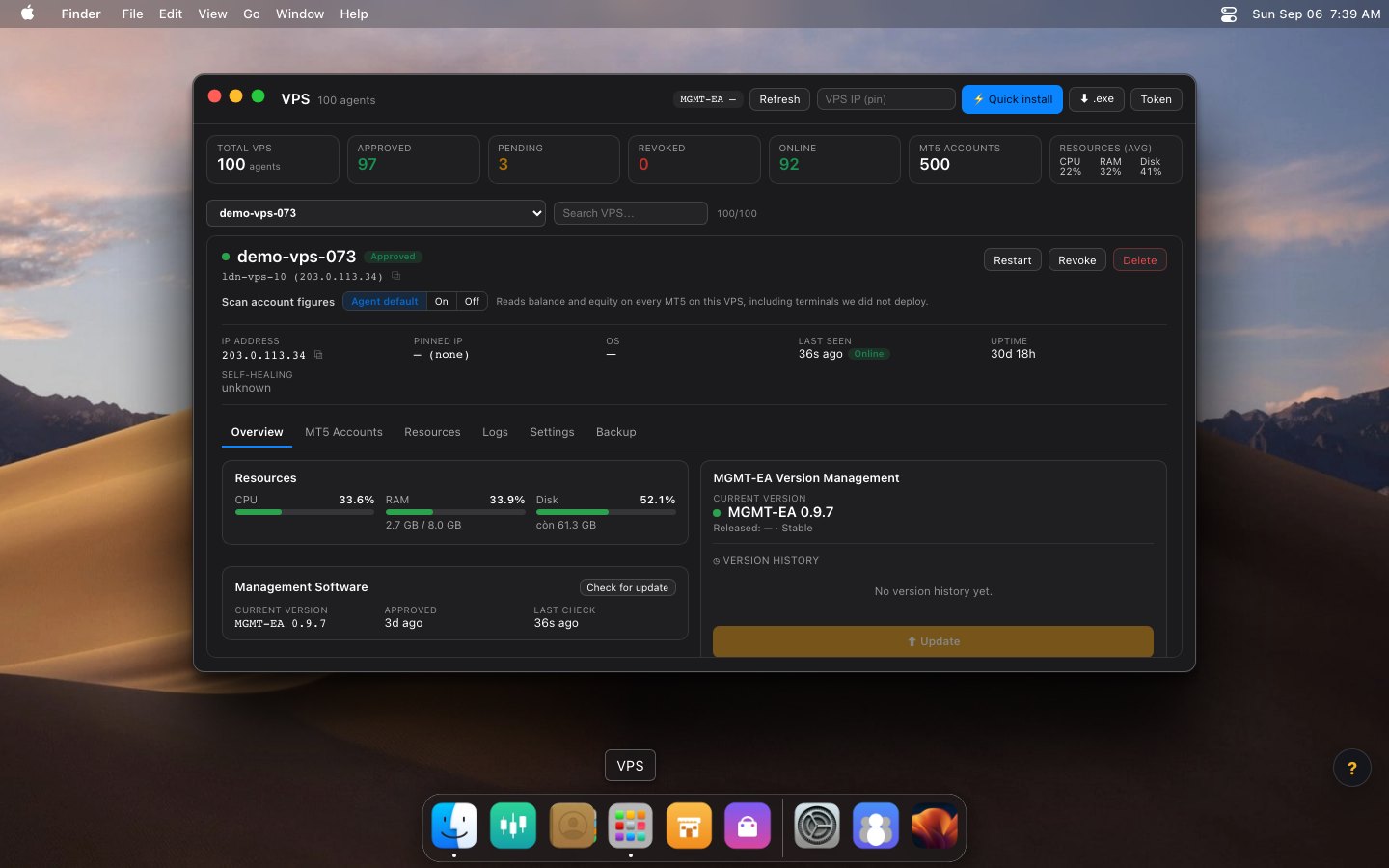
Past six terminals, two 4 GB boxes usually beat one 8 GB box: a reboot takes down half the fleet instead of all of it, and you can place the two machines in two datacenters near two different brokers. The price is managing two machines, two RDP windows, two update schedules. That is exactly the problem a shared dashboard solves: AutoBotCenter puts every VPS on one screen, deploys EAs remotely and revives dead terminals, so adding a third VPS does not add work for you.
Tired of RDP-ing into every box?
AutoBotCenter puts every VPS, MT5 terminal and EA on one dashboard: a watchdog that revives dead terminals, remote EA deployment, Telegram alerts. The free tier covers one VPS, no card needed.
Start free